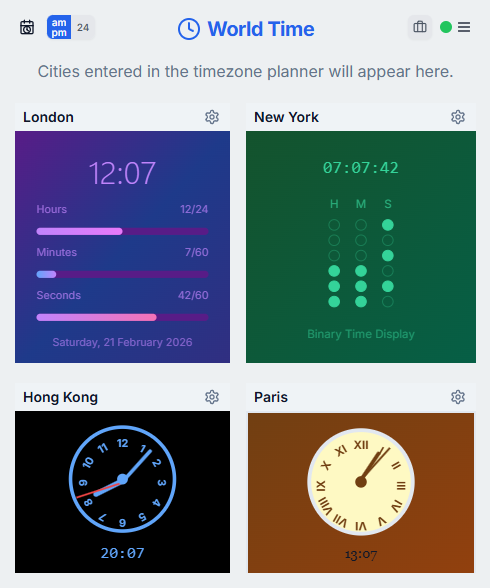
Track the places you contact most
Instead of checking a timezone converter every time, keep a dashboard for the cities that matter: headquarters, customer regions, engineering hubs, support coverage areas, or travel destinations.
WorldTimePlanner includes a customizable world clock dashboard where signed-in users can save cities, choose clock styles, resize clocks, and arrange a layout that matches how they work.
Use world clocks before sending messages
A quick glance at local time can prevent awkward pings outside working hours. This is especially useful for managers, recruiters, customer success teams, and founders who contact people across regions.
The world clock view complements the meeting planner: use clocks for awareness, then use the planning grid when you need to schedule a specific call.
Combine clocks with calendar planning
World clocks show what is happening now, while a meeting planner helps with a future date and time. Both matter because daylight saving changes and date boundaries can affect the final invite.
When a meeting matters, confirm it in the planner before exporting or creating a calendar event.
Frequently asked questions
What is a world clock dashboard?
It is a saved view of multiple city clocks, usually used to monitor local times for teams, customers, or travel destinations.
Is a world clock enough for scheduling meetings?
It helps with awareness, but a meeting planner is better for future dates, multiple attendees, daylight saving changes, and calendar invites.
Can I customize WorldTimePlanner clocks?
Yes. The world clock dashboard supports multiple clock styles, saved cities, resizing, and drag-and-drop layouts.